Resurrecting a University Physics Cluster: Moving from Rocks to OpenHPC 3 on Rocky Linux 9
How a 2013 Dell cluster at UFPE was saved from a 5-year dormancy and modernized using Rocky Linux 9.7, Warewulf 4, and Slurm 25.11.

The Genesis (2013)
Back in 2012 and early 2013, I designed and built a high-performance computing (HPC) cluster for the Laboratory of Theoretical and Computational Physics (LFTC) at the Physics Department of the Federal University of Pernambuco (UFPE).
When architecting the blueprint, I deliberately selected Dell server infrastructure with one primary metric in mind: longevity. At the software layer, the ecosystem was built around the classic Rocks Cluster Distribution. For years, that combination did exactly what it was designed to do: crunch heavy, complex simulations for researchers and students pushing the boundaries of theoretical physics.
Then came 2020. The disruptions of the COVID-19 pandemic brought university labs to a sudden halt. The cluster went dark, sitting dormant, cold, and unmaintained for years.
The Call and the Physical Triage
Recently, I was contracted to recover the system and bring it back to life. Anyone who manages infrastructure knows that leaving servers cold for years is risky business. Components degrade, capacitors age, dust settles, and ambient humidity slowly goes to work on interconnected copper.
The first phase was purely physical triage.
The Silent Casualty: Systemic Amnesia
Before dealing with processing units, I hit a fundamental hurdle. Every single node in the cluster relies on a tiny 3-volt lithium cell to maintain its volatile SRAM configurations and real-time clock (RTC). After years offline, every single cell was dead.
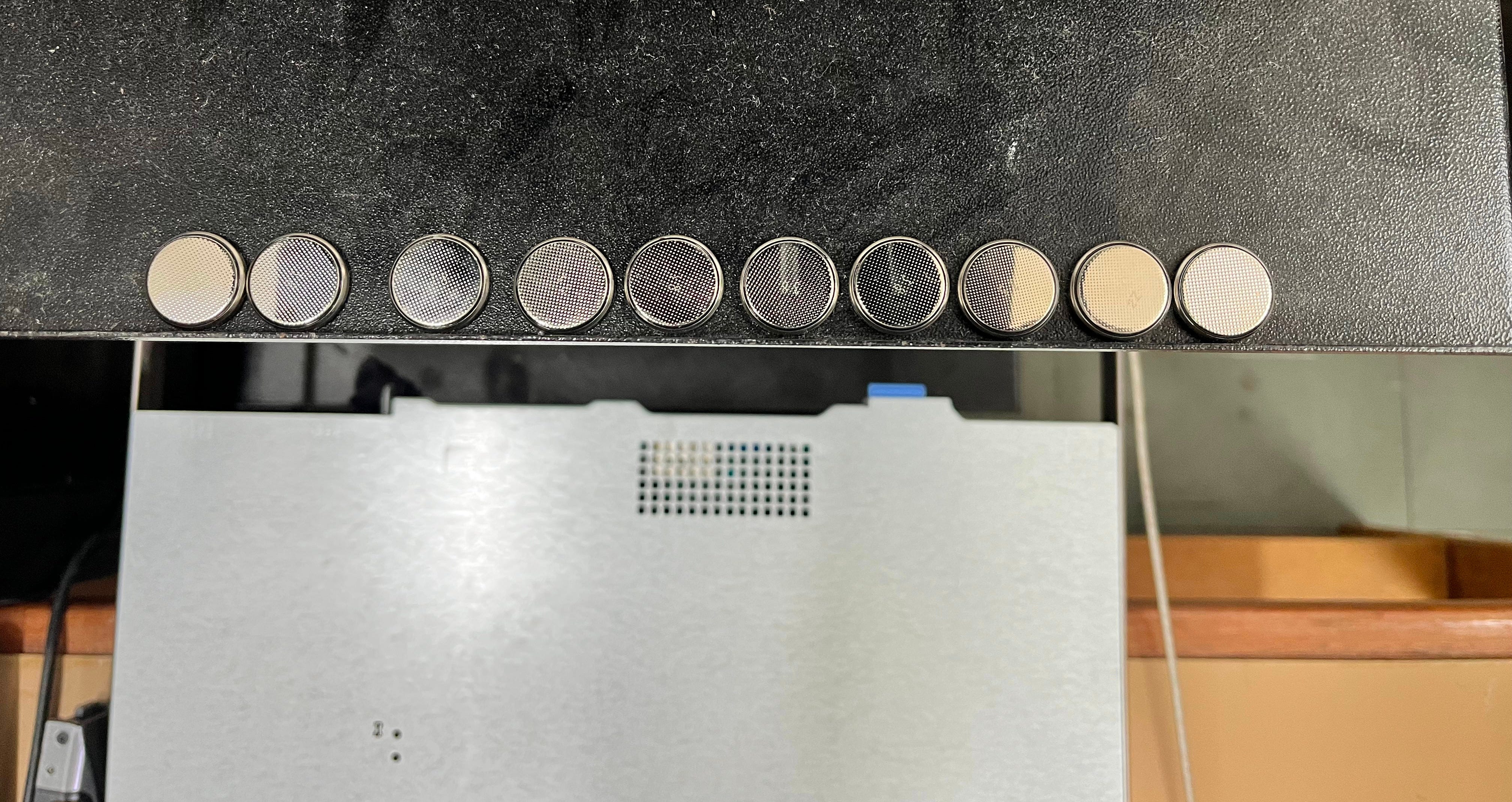
Losing CMOS memory on an enterprise node causes total amnesia. On boot, the motherboard loses its specialized BIOS tweaks and virtualization overrides, sending management controllers into an unconfigured panic. Before a single byte of data could be routed, I had to physically pull every blade and swap all 10 coin cells.
Battling Corrosion
Next came the storage fabric. Dust combined with ambient moisture had created a destructive, corrosive film on critical interfaces.
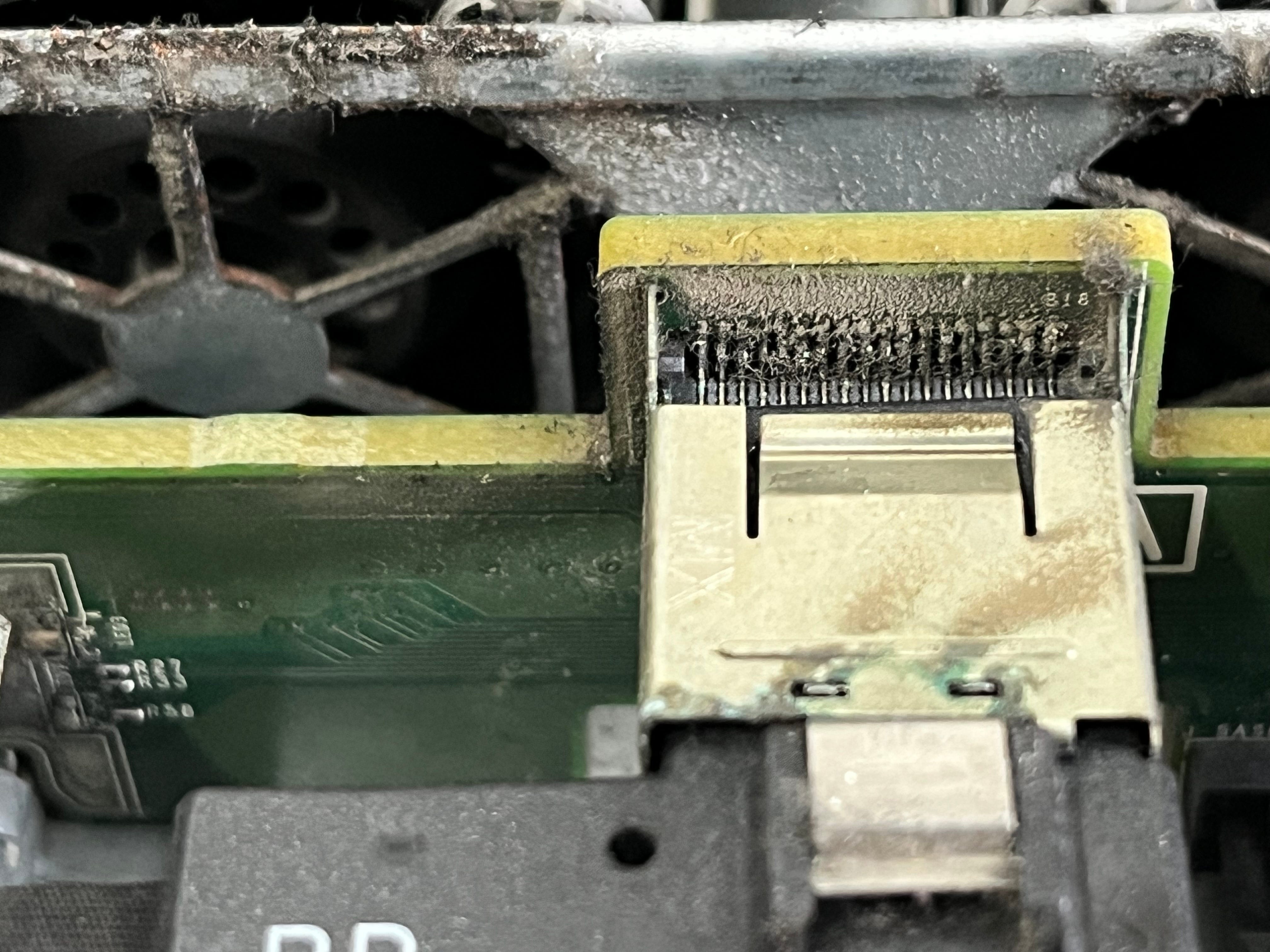
The corrosion on the storage layer was severe enough to create a direct short circuit on the Dell PERC H310 storage controller. Even after replacing the damaged SAS signaling cables and the chassis drive backplane, the head node completely failed to recognize any hard drives. The storage fabric only finally came back to life after replacing the dead H310 controller entirely, a stark reminder that attempting to clean oxidized pins with isopropyl alcohol would have been an absolute gamble on long-term data integrity.
The Jet Engine Resurrected: Salvaging Node 5
Out of the original ten compute nodes deployed over a decade ago, only a single node (c8) suffered a fatal, unrecoverable motherboard failure.
I decided to take a gamble on c5. Powering it on filled the room with the deafening, unmistakable roar of Dell iDRAC fans pinned at 100% max speed, a classic symptom of a legacy management controller suffering from vFAT flash memory degradation. But despite the acoustic assault, the motherboard POSTed successfully.
By pulling c5 back into active service, we successfully salvaged 9 out of 10 nodes, an exceptional 90% survival rate after 13 years of enterprise life.
The Modern Rebuild: Rocky 9.7 + OpenHPC 3
Wiping the ancient Rocks Linux installation was a necessity. The HPC landscape has shifted over the last decade toward modular, community-driven deployment templates rather than rigid, monolithic distributions.
For the modern rebuild, I chose the OpenHPC v3.5 ecosystem running natively on top of Rocky Linux 9.7. This combination provides an enterprise-grade, RHEL-compatible baseline designed to guarantee compliance and support for years to come.
Taming EL9 Dependencies
Modern Enterprise Linux (EL9) splits its packages across different streams. To get OpenHPC running, you must explicitly unlock the Code Ready Builder (CRB) repository and pull in EPEL:
dnf config-manager --set-enabled crb
dnf install -y epel-release
dnf -y install http://repos.openhpc.community/OpenHPC/3/EL_9/x86_64/ohpc-release-3-1.el9.x86_64.rpm
Resolving the Warewulf Dependency Clash
Even with clean repositories, real-world systems engineering throws curveballs. When pulling down the provisioning engine, the metapackage ohpc-warewulf triggered a metadata conflict with local packages. I bypassed the bottleneck by purging the conflicts and targeting the standalone components directly alongside yq (the YAML engine Warewulf 4 relies on):
dnf -y remove $(rpm -qa | grep -i warewulf)
dnf -y install warewulf-ohpc yq --allowerasing
Once the master stack was stable, I pulled down the minimal, high-performance runtime image tools that get injected directly into the compute nodes’ RAM:
dnf -y install ohpc-base-compute ohpc-slurm-client chrony lmod-ohpcUser Management: The Stateless Warewulf 4 Way
One of the most satisfying parts of this modernization was changing how compute nodes are provisioned. In the old Rocks setup, user accounts required a heavy, stateful local footprint.
For the new cluster, I deployed Warewulf 4.7.0.
Researchers and students are managed directly through standard Linux PAM on the head node (jambo). To sync authentication across the entire cluster without identity drift, we leverage Warewulf’s dynamic stateless overlay system:
[root@jambo ~]# wwctl overlay buildThis compiles /etc/passwd, /etc/shadow, and /etc/group into stateless runtime layers. When the compute nodes boot over PXE, they pull this slim image directly into volatile memory.
Proof of Life: The Slurm View
To manage workloads, I deployed Slurm v25.11.4. Seeing the entire fabric check in cleanly with the controller is the ultimate validation of a successful rebuild:
[root@jambo ~]# sinfo --long --Node
Mon Jun 22 22:14:46 2026
NODELIST   NODES PARTITION        STATE CPUS     S:C:T MEMORY TMP_DISK WEIGHT AVAIL_FE REASON
c1             1   normal* idle 24      2:6:2  31000        0      1   (null) none
c2             1   normal* idle 24      2:6:2  31000        0      1   (null) none
c3             1   normal* idle 24      2:6:2  31000        0      1   (null) none
c4             1   normal* idle 24      2:6:2  31000        0      1   (null) none
c5             1   normal* idle 24      2:6:2  31000        0      1   (null) none
c6             1   normal* idle 24      2:6:2  31000        0      1   (null) none
c7             1   normal* idle 24      2:6:2  31000        0      1   (null) none
c9             1   normal* idle 24      2:6:2  31000        0      1   (null) none
c10            1   normal* idle 24      2:6:2  31000        0      1   (null) none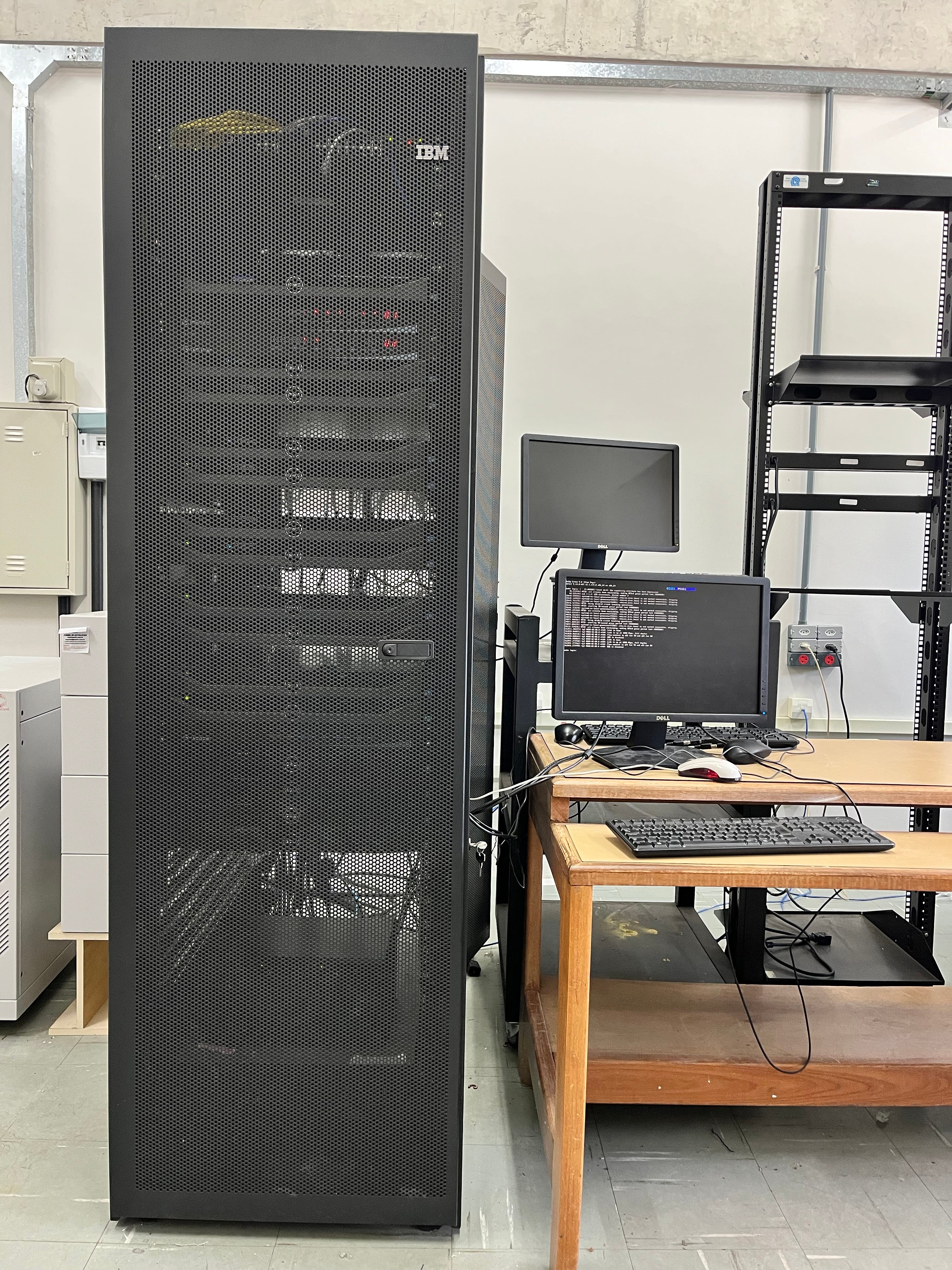
Looking at the S:C:T metric (2:6:2), Slurm perfectly maps the physical topology: dual-socket nodes running 6 cores per CPU with Hyper-Threading active, presenting 24 execution threads per node and ~32 GB of RAM visible per machine.
The Cluster Evolution at a Glance
=======================================================================================
 Component     | The 2013 Build (Legacy)        | The 2026 Resurrection (Modern)
=======================================================================================
 Base OS       | Rocks Linux (CentOS 6 Era)     | Rocky Linux 9.7
 Provisioning  | Stateful Rocks Roll Framework  | Warewulf 4.7.0 (Stateless Overlays)
 Scheduler     | Torque / PBS Pro               | Slurm Workload Manager (v25.11.4)
 Environment   | Monolithic Modules             | Lmod 9.2 (Lua-based)
=======================================================================================
Conclusion: Good Iron Never Dies
The final tally for the resurrected LFTC laboratory cluster stands at a massive 216 computational cores and ~288 GB of system RAM.
Bringing this environment back online proves that the longevity of enterprise server hardware is limited far more by software paradigms than the silicon itself. By wiping away the constraints of the old software stack and laying down a modern architecture, we transformed a dusty room of legacy nodes back into a modern scientific engine.
The LFTC lab at UFPE is officially back in the simulation game, proving that clear architectural planning, resilient hardware choices, and deep systems engineering can completely bypass the need for a multi-million dollar capital refresh.